> ## Documentation Index
> Fetch the complete documentation index at: https://camelai.com/docs/llms.txt
> Use this file to discover all available pages before exploring further.
# Response Modes
> Control how much technical detail your users see when camelAI processes their questions
**camelAI Legacy Product** — This documentation covers camelAI's embedded analytics offering, which is no longer being actively developed. We are migrating existing customers to the new camelAI platform. For the current product, visit [camelAI](https://camelai.dev).
### Show Analysis and Code (Default)
Full transparency into camelAI's thought process - this is the default mode that provides complete visibility into the analysis including SQL queries and any code that is used.
**Best for**: Technical users, data analysts, or when transparency is important
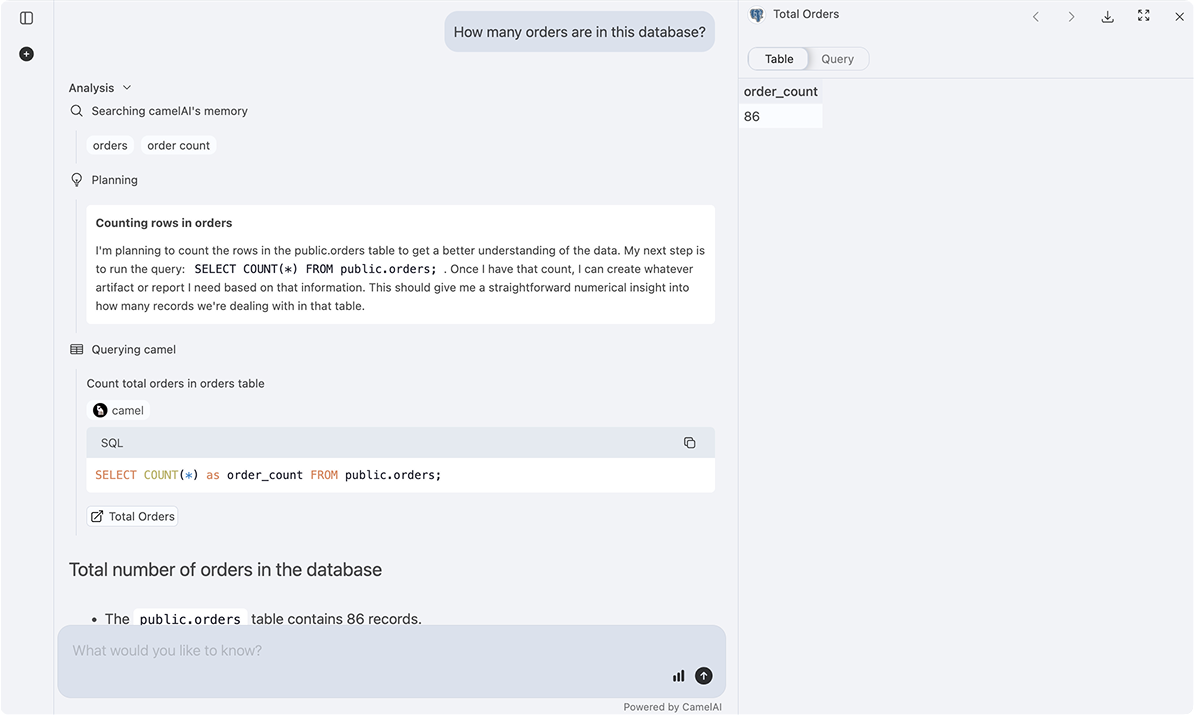 Users can see:
* **SQL Queries**: Generated and executed SQL queries with full syntax highlighting
* **Step-by-step Analysis**: Detailed reasoning process showing how camelAI approaches each question
* **Data Transformations**: All calculations and data manipulation steps
* **Python Code**: Any Python code used for advanced analysis and processing
### Basic Response Mode
A simplified view that hides the analysis and technical implementation details for a cleaner user experience.
**Best for**: Non-technical users or when you want a cleaner interface
The analysis still happens behind the scenes - it's just not shown to the user.
Users can see:
* **SQL Queries**: Generated and executed SQL queries with full syntax highlighting
* **Step-by-step Analysis**: Detailed reasoning process showing how camelAI approaches each question
* **Data Transformations**: All calculations and data manipulation steps
* **Python Code**: Any Python code used for advanced analysis and processing
### Basic Response Mode
A simplified view that hides the analysis and technical implementation details for a cleaner user experience.
**Best for**: Non-technical users or when you want a cleaner interface
The analysis still happens behind the scenes - it's just not shown to the user.
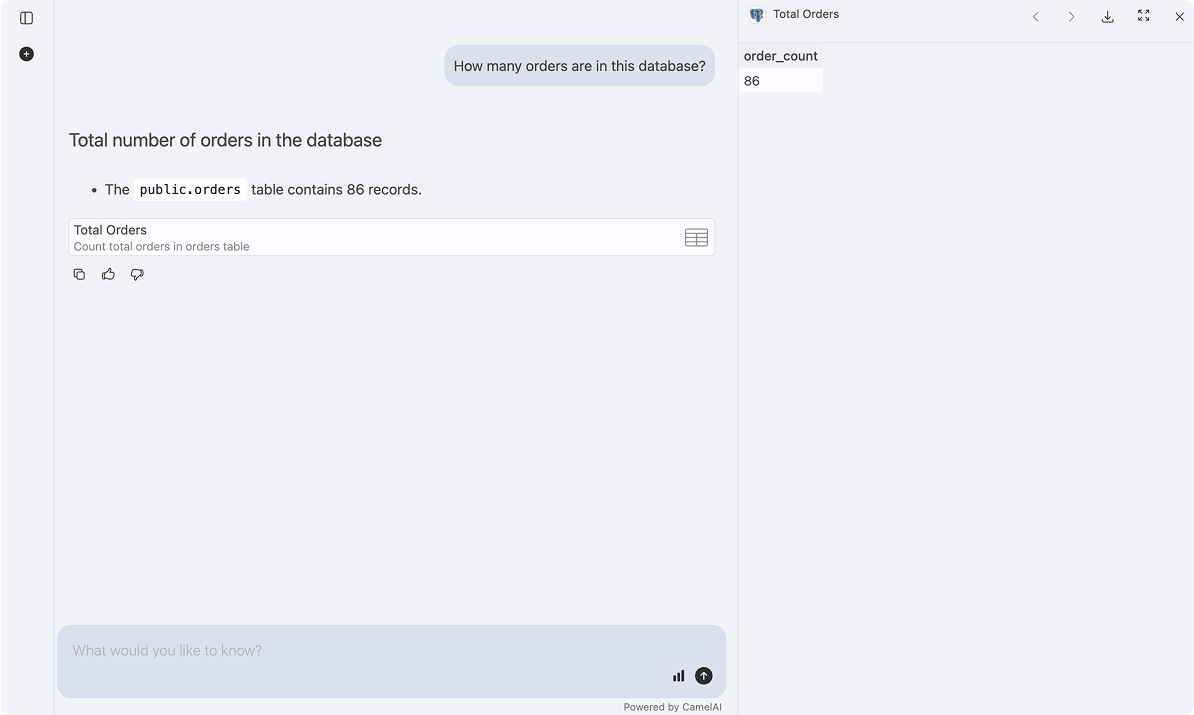 Users only see:
* **Final Answer**: The natural language response
* **Generated visualizations and charts**
Users only see:
* **Final Answer**: The natural language response
* **Generated visualizations and charts**